Passport Photo Requirements Checker
This tool checks if your passport photo meets official requirements based on guidelines from U.S. Department of State, Canada, UK, and other governments. It helps avoid application rejection due to photo issues.
Results
Important: This tool checks basic requirements. For official approval, always verify with your government's passport service. Most applications reject photos that fail these checks.
You need a passport photo. Fast. And you’re wondering: is passport photo online free? The short answer? Sometimes - but not the way most people think.
There are websites that claim to give you a free passport photo. They promise to crop your selfie, adjust the lighting, and deliver a government-approved image in seconds. But here’s the truth: if it’s truly free, you’re probably paying in other ways - like your privacy, your time, or a hidden fee that pops up at checkout.
What Makes a Passport Photo Official?
The U.S. Department of State, Canada’s Passport Program, the UK Home Office, and other governments have strict rules. Your photo must be:
- 2 x 2 inches (51 x 51 mm)
- Plain white or off-white background
- Full face, front view, eyes open and looking directly at the camera
- No shadows, glare, or filters
- Neutral expression - no smiling or frowning
- Wear normal clothing - no uniforms or hats unless for religious reasons
- Printed on matte or glossy photo paper
These aren’t suggestions. They’re rules. If your photo doesn’t match, your passport application gets rejected. And that means delays - sometimes weeks - while you reapply.
How Free Online Services Work (And Why They’re Not Really Free)
Many free passport photo tools ask you to upload a selfie. Then they use AI to crop it, replace the background, and adjust brightness. Sounds easy, right?
But here’s what usually happens next:
- You upload your photo - often with personal data like your name, date of birth, and even location.
- The site says, "Your photo is ready!"
- You click "Download," and it asks you to pay $1.99 for the high-res version.
- Or it says, "Print at CVS or Walgreens for $14.99," even though you didn’t ask for printing.
- Some even sign you up for a monthly subscription you didn’t know you agreed to.
These services make money by upselling. The "free" part is just bait. Your photo might look okay on screen, but it often fails the technical checks when printed. Backgrounds aren’t pure white. Lighting is uneven. Your head is too small or too big.
What Actually Costs Nothing?
There are two real ways to get a free passport photo without paying a dime.
1. Use Your Phone + a White Wall
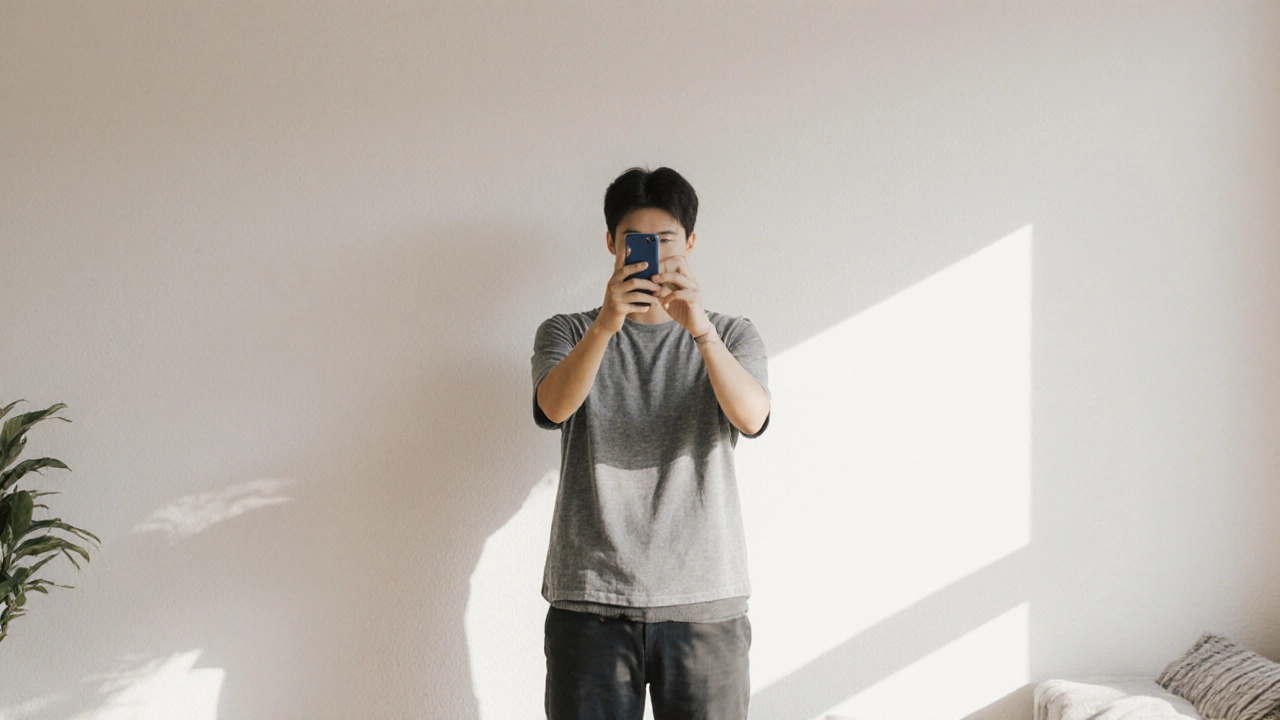
Grab your phone. Find a plain white or light-colored wall. Stand 3-4 feet away. Make sure the light is even - no windows behind you. Take the photo in daylight, not under fluorescent lights.
Use your phone’s built-in camera app. No filters. No portrait mode. No editing apps. Just a straight shot.
Then, use a free desktop tool like Passport Photo Online (by the U.S. Department of State) or PhotoAiD (free version). These tools let you upload your photo and check if it meets official specs. They don’t charge for the analysis.
You’ll get a PDF with the correct size and cropping. Print it at home on photo paper. If you don’t have photo paper, use regular 8.5 x 11 paper - cut it to size. Most passport offices will accept it if the image is clear and meets all other rules.
2. Go to a Library or Post Office
Many public libraries in the U.S. and Canada offer free passport photo services. They have professional photo booths or staff who can take the photo for you. No charge. No hidden fees.
In the UK, some post offices offer free passport photo sessions if you’re applying for a new passport. Check your local branch. In Australia, Australia Post sometimes offers free photos for passport applicants.
This is the most reliable free option. You get a photo that meets every rule, printed on the right paper, and you walk out with a physical copy.

What Happens If You Use a Free Online Photo That Doesn’t Meet Requirements?
Let’s say you used a free app. You printed the photo. You sent it with your passport application. Then you get an email:
"Your photo does not meet the requirements. Please submit a new photo."
Now you’re stuck. You can’t track your application. You can’t schedule an interview. You’ve lost time. Maybe you missed a trip. Maybe you paid $100 for expedited processing, and now you have to pay again.
According to the U.S. Department of State, nearly 1 in 5 passport applications are delayed because of photo issues. Most of those are from photos taken with phone apps or online tools that promise "instant approval."
When Is It Worth Paying for an Online Service?
There are times when paying $2-$5 makes sense:
- You’re in a hurry and can’t get to a library or post office.
- You need multiple copies - for visas, work permits, or other documents.
- You’ve tried taking your own photo and failed the checks three times.
Good paid services like VisaPhoto or Passport Photo Online (the official U.S. tool) guarantee compliance. They’ll refund you if your photo is rejected.
But even then, you’re not paying for the photo. You’re paying for peace of mind.

What You Should Do Right Now
Here’s your simple 3-step plan:
- Take a photo with your phone against a white wall in daylight.
- Upload it to the free checker at Passport Photo Online (official U.S. government tool).
- If it passes, print it at home or take it to a library for free printing.
That’s it. No credit card. No subscription. No surprise fees.
Common Myths About Free Passport Photos
Myth: "I can use a photo from my driver’s license."
Reality: Driver’s license photos are often too dark, too close, or have shadows. They’re not approved for passports.
Myth: "Any white background works."
Reality: The background must be pure white or off-white - no beige, no gray, no blurred backgrounds. Even a slightly off-white wall can cause rejection.
Myth: "AI can fix any photo."
Reality: AI can change the background, but it can’t fix poor lighting, facial expression, or head size. Many apps fail the 30-36% head size rule - a technical check no free tool can reliably pass.
Myth: "I don’t need to print it - I can upload a digital file."
Reality: Most countries still require a physical print. Even if you’re applying online, you’ll need to print and sign a form with the photo attached.
Final Answer: Is Passport Photo Online Free?
Technically, yes - but only if you do it yourself. No website gives you a government-approved passport photo for free and without strings. The only truly free options are:
- Using your phone and a white wall
- Visiting a public library or post office
Everything else - even if it says "free" - is a trap. Save yourself the stress. Skip the apps that ask for your email. Skip the ones that say "download now for $1.99." Do it the old-fashioned way. It’s faster, safer, and costs nothing.
Can I use a selfie for my passport photo?
No. Selfies are not allowed. Passport photos must be taken by someone else, with the camera at eye level. Selfies often have the camera too close, your head too big, or shadows from your hand. Even if an app "fixes" it, government systems can detect it as a selfie and reject it.
Is it legal to print passport photos at home?
Yes. As long as the photo meets all official requirements - size, background, lighting, and print quality - printing at home is completely legal. Many people do it. Just make sure you use photo paper or high-quality printer settings. A blurry or pixelated photo will be rejected.
What if my passport photo is rejected after I pay for it?
Reputable paid services like VisaPhoto or the official U.S. Passport Photo Online tool offer a money-back guarantee if your photo is rejected. Always check the terms before paying. Avoid services that don’t offer a refund - they’re not trustworthy.
Can I wear glasses in my passport photo?
Yes, but only if you wear them every day. No glare on the lenses. No thick frames that cover your eyes. The glasses must not cast shadows on your face. If you don’t normally wear glasses, don’t wear them for the photo.
Do I need a passport photo for a child?
Yes. Children under 16 need their own passport with a photo that meets the same rules. Babies and toddlers must have a plain background, eyes open, and no toys or hands in the frame. It’s harder to get a good photo of a baby, so many parents go to a library or post office for help.
How long does a passport photo last?
There’s no expiration date on the photo itself, but it must be recent - taken within the last 6 months. If your appearance has changed significantly (weight loss, facial hair, glasses), you’ll need a new photo, even if it’s only 5 months old.
Can I use the same passport photo for multiple countries?
Most countries follow similar rules, but not all. The U.S., Canada, UK, Australia, and EU nations have nearly identical standards. But some countries like Japan or Saudi Arabia have stricter rules - like no glasses or no smiling. Always check the specific country’s requirements before submitting.
If you’re applying for a passport soon, skip the apps that look too good to be true. Use your phone, a white wall, and a free checker. It’s the only way to get a free, legal, and accepted passport photo without risking rejection.